
YouMail: Block Spam on Android
YouMail, IncCommunication
4.241.24K Reviews
- Version
- 7.6.3
- Installs
- 5.00M
- Age Rating
- Everyone
Screenshots

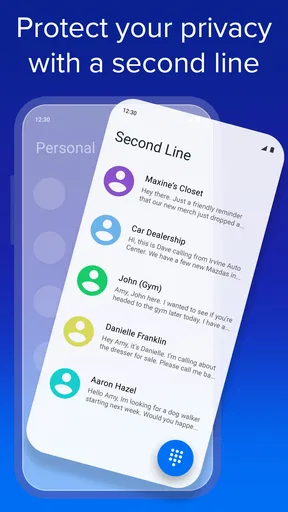

Our Review of YouMail: Block Spam on Android
 Analysis by Appyee
I’m most likely to recommend YouMail: Block Spam to someone whose phone has become an unreliable front door: unknown callers keep interrupting, while genuine callers still need a useful way to leave a message. Its appeal is not limited to silencing unwanted calls. The app brings call screening and voicemail tools together, which can make it a more practical choice than relying on a basic block list alone. I would still treat it as a tool to manage interruptions, not a guarantee that every nuisance call disappears.
How it fits into a busy phone routine
A useful way to judge a call blocker is to ask what happens after it filters something. With YouMail, the blocked-call list gives you a place to review what was caught, while voicemail and caller greetings help keep communication usable for people who do get through. That matters if you receive deliveries, appointment calls, or messages from people whose numbers you do not have saved. I would check the filtered list occasionally rather than assume every unfamiliar number is junk.
Imagine you are in a meeting and your phone is repeatedly interrupted by calls from numbers you do not recognize. A blocker can reduce the disruption, but later you may still want to know whether a legitimate caller tried to reach you. The combination of call management and voicemail gives you a way to review messages on your own time instead of answering every ring just in case. That workflow is more valuable than simply seeing a call disappear.
Who is likely to get the most from it
I see the strongest fit for people who receive frequent unsolicited calls, want voicemail to feel less anonymous, and prefer to handle missed messages as text when that is convenient. Personalized greetings can be a nice touch for someone who wants callers in their contacts to hear a more familiar response. Transcription can also help when listening is awkward, such as on public transport or during a short break. It is still sensible to listen to an important message when the wording matters, because a text rendering is a convenience rather than a substitute for every detail in a recording.
On the other hand, someone who rarely receives spam and is happy with the voicemail already supplied by their phone service may not need another app in the call flow. A simpler built-in block list can be enough if the main task is stopping one persistent number. YouMail makes more sense when you want several call-handling and voicemail tools in one place, rather than a single switch for blocking.
What I would check before relying on it
Call handling depends on the way the app is set up alongside your phone service, so I would follow the setup prompts carefully and place a test call from another phone before depending on a greeting or forwarding arrangement. This is especially worthwhile if you use voicemail for work, caregiving, or time-sensitive callbacks. Confirm that a caller can leave a message and that you can find it afterward; a few minutes of testing can prevent confusion when an important call arrives.
I would also keep expectations measured about automatic filtering. A spam blocker has to make decisions about numbers, and real-world calling is messier than a neat list of known bad actors. If a legitimate call is missing, review the blocked-call area and adjust how you handle that caller rather than assuming the app has failed completely. Conversely, an unwanted caller may still get through if its number is new or changes. I value the ability to inspect what was filtered because it gives me a way to catch mistakes instead of treating the blocker as invisible and infallible.
Another practical trade-off is that YouMail asks you to use its own approach to voicemail rather than treating voicemail as a feature you never think about. That can be worthwhile if transcription and personalized greetings fit your habits, but it may feel like extra setup to someone who only wants fewer rings. Before switching your routine, decide which matters more: a unified call-and-message workflow or keeping everything as close as possible to the phone’s default behavior.
Ever feel like your phone is just a magnet for spam calls? I totally get it. These days, it seems like every other call is someone trying to sell me something I don’t need or, even worse, a scammer. That’s where YouMail: Block Spam comes in. I’ve been using it for a bit now, and let me tell you, it’s like having a personal assistant who’s always on guard.
First Impressions
Setting up YouMail: Block Spam was pretty straightforward. The app walks you through the process, and let’s be real, even if you’re not super tech-savvy, you’ll have it running in no time. It’s available on Android, so all you need is a quick download from the Play Store.
Once installed, the app syncs with your contacts and starts working its magic. It’s like flipping a switch on your phone’s security system. The interface is clean and intuitive, which I appreciate because who has time to navigate a complicated app when you're dodging spam calls?
Features That Stand Out
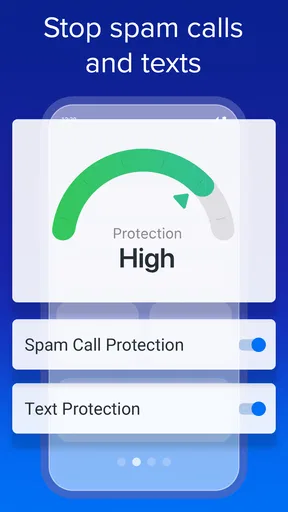
One of the coolest things about YouMail is its ability to block spam calls automatically. You don’t even have to lift a finger. It uses a massive database of known spam numbers to keep those pesky calls from reaching you. Plus, it’s constantly updating, so you’re always protected against the latest threats.
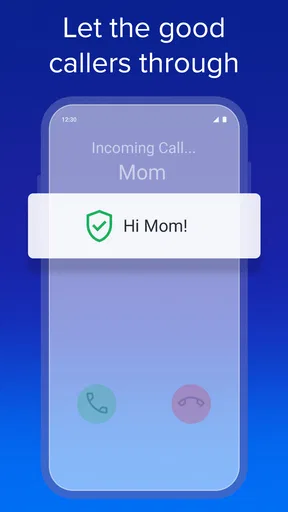
And get this: YouMail doesn’t just block calls; it also provides a personalized voicemail service. How neat is that? It greets your callers by name if they’re in your contacts, giving your voicemail a personal touch. If you’re like me and hate listening to voicemails, you’ll love the transcription feature. It sends the message in text format straight to your phone.
Performance and Reliability
In terms of performance, YouMail has been rock solid. I’ve noticed a significant drop in the number of unwanted calls since I started using it. It’s like my phone finally has a shield against the spammy onslaught. The app runs quietly in the background without draining my battery, which is a huge plus.
There’s also a nifty feature for blocking robocalls. YouMail identifies and blocks them before they can even ring through. It’s such a relief not to have my phone buzzing off the hook with automated messages.
The User Experience
Let’s talk about the user experience for a second. Navigating the app is a breeze. The menus are clearly labeled, and everything is just a tap away. You can easily access the blocked calls list to see what’s been filtered out. It’s oddly satisfying to see how many spam calls the app has intercepted.
For those who want to take it a step further, YouMail offers customization options. You can set up different greetings for different callers or even use the app to forward calls. It’s like having a Swiss Army knife for call management.
Its place among call-management options
Compared with the usual alternatives, YouMail sits between a phone’s basic caller controls and a dedicated voicemail routine. Built-in blocking is convenient because it is already part of the phone, but it may not give you the same combined emphasis on call filtering, caller-specific greetings, and message transcription. A standalone voicemail service may suit someone who mainly wants a different way to receive messages, while YouMail is more compelling if filtering and voicemail are both part of the problem.
That broader approach comes with a trade-off: there is more to configure and more reason to check how calls are being handled. I would not switch from a working default setup just because an app promises a cleaner experience. I would switch if unwanted calls are a regular annoyance and the voicemail features solve a separate, real inconvenience for me.
Free to start, with a paid tier to weigh
YouMail is free to download, with in-app purchases ranging from $7.99 to $239.99 per item. I would begin with the free experience and identify what I actually use before considering a purchase. If the main benefit is simply seeing fewer interruptions, paying for extras may not be necessary. If voicemail customization or other call-management needs become part of your daily routine, then it is worth checking which option addresses that need and whether the cost makes sense to you.
The app is developed by YouMail, Inc, and its current version is 7.2.1. It has been around since June 17, 2011, so this is an established product rather than a brand-new experiment. Its 4.1 average from around 114,000 ratings, alongside over 5 million installs, suggests broad use, though popularity cannot tell you whether its call-handling style suits your phone or carrier. It is rated for Everyone, and the minimum operating-system requirement is version 10.
What its history says—and what I would watch
The long gap between its original release and its current version points to an app that has continued to evolve, but a version number alone does not tell me which individual features changed or how a particular update behaves on every device. For an existing user, the sensible approach is to review the app after updating: check that voicemail access still works as expected, confirm your greeting, and make sure the calls you want to screen are being handled correctly. These are quick checks, not reasons to expect trouble.
For someone installing it now, the same principle applies after setup. Test the parts you depend on instead of assuming that a successful installation means every call path is configured to your preference. If a greeting is important, call in and hear it. If transcription is why you chose the app, see how a real message appears and decide whether it is readable enough for your needs. These small trials are more useful than judging the app by a feature label alone.
What I would watch over time is whether the balance between convenience and control stays comfortable. Automatic blocking is most helpful when it removes noise without hiding calls you care about; message tools are useful when they save effort rather than create another inbox to monitor. I would periodically scan filtered calls, especially if I am expecting a call from a new contact, and keep my important contacts current so caller-specific handling has the information it needs.
Where it can fall short
No filtering approach can promise a perfectly quiet phone without risk of a missed legitimate call. Unknown numbers can be genuine, and unwanted callers can use numbers that are difficult to recognize. That is why I see a reviewable blocked-call list as part of the workflow, not just a place to admire the total. If you are waiting for a doctor, a job callback, or a delivery driver, keep an eye on messages and filtered calls rather than relying on silence as proof that nothing important happened.
There is also a personal preference question. Some people want their phone’s existing voicemail and caller controls to remain untouched; others are happy to make a dedicated app central to answering and screening. If you strongly prefer the first approach, a built-in option may be the better fit. If you are comfortable testing a new call routine, YouMail’s combination is more useful than a blocker that only removes calls and leaves the rest of the experience unchanged.
Wrapping It Up
So, is YouMail worth it? Absolutely. If you’re looking to cut down on spam calls and have a more streamlined call experience, this app is a game-changer. It’s easy to use, effective, and offers a range of features that go beyond basic call blocking. Plus, with its voicemail transcription and personalization capabilities, it’s like having a little piece of tech magic right in your pocket.
All in all, YouMail: Block Spam is a solid choice for anyone fed up with unwanted calls. Give it a try, and you might just wonder how you ever lived without it.
Verdict
Strengths of YouMail: Block Spam on Android
- Effective spam call blocking.
- User-friendly interface.
- Customizable voicemail greetings.
- Syncs well with contacts.
- Detailed call logs.
Limitations of YouMail: Block Spam on Android
- Premium features require subscription.
- Occasional false positives.
- Ads in free version.
- Limited support for international numbers.
- Can drain battery quickly.
Similar Picks in This Category
View All
Google Messages
Google LLC4.6

Gmail
Google LLC4.1

Google Meet
Google LLC4.4

Google Chrome
Google LLC4.1

WhatsApp Messenger
WhatsApp LLC4.6

Carrier Services
Google LLC4.2
Frequently Asked Questions
What is YouMail and how does it work?
YouMail is a mobile application designed to block spam calls and manage voicemail more efficiently on Android devices. It uses advanced algorithms to identify and block unwanted robocalls, telemarketers, and scammers. Additionally, YouMail provides personalized voicemail greetings and transcription services, making it easier for users to manage their messages.
Is YouMail free to use, or are there any subscription fees?
YouMail offers a free version with basic features, including spam call blocking and voicemail management. However, there are premium plans available that provide enhanced features like voicemail transcription, additional storage, and advanced call blocking options. Users can choose a plan based on their needs and budget.
How effective is YouMail at blocking spam calls?
YouMail is highly effective at blocking spam calls, thanks to its large database of known spammers and its ability to learn from user reports. It continuously updates its call blocking protocols to adapt to new scams and robocalls, ensuring users receive the best protection possible. Many users report a significant reduction in unwanted calls after installing YouMail.
Can YouMail replace my current voicemail service?
Yes, YouMail can replace your current voicemail service by redirecting your voicemail through its platform. This allows you to benefit from features like personalized greetings, voicemail transcription, and visual voicemail. Setup is straightforward, and the app guides you through the process of redirecting your voicemail.
Is my personal data safe with YouMail?
YouMail prioritizes user privacy and data security. It employs encryption and other security measures to protect personal information. While using YouMail, your voicemail data and call logs are stored securely, and the company adheres to strict privacy policies. Users can review these policies to understand how their data is managed.
